Tuesday, 31 March 2020

Year 1 & 2 - Tuesday 31st March

Good morning everyone; I hope you are all doing well!

In thinking of more practical, active things that your children can do, I am also balancing considerations to things that you have access to at home and also adhering to government guidance regarding social distancing. Please don't panic if you see something that you just can't do - leave it and try something else.

Scavenger Hunt

Government advice does ask people to stay at home but everyone is allowed to exercise/go outside once a day so long as they stay local and use open spaces near their home whilst also adhering to social distancing guidelines.

To this end, why not spice up your next exercise slot with a scavenger hunt! You can use the one below or create your own one.


You might be able to adapt the hunt for your garden as well. You might want to take photos of some of these and collage them or put them into a Google docs file.

ScratchJnr

An app that we use in school is ScratchJnr. This is a free to download app that works on a range of mobile devices (but not phones) that is fantastic for learning programming:


A how to use guide is on the website under the "Learn" tab at the top of the page and some projects can be found here:


Word of the Day

We have been using Vocabulary Ninja in school to develop a wider paint box of words. As mentioned in one of last week's blogs, knowing what different words mean is a key component to comprehension. Have a look here (Grasshopper words are Key Stage 1; Shinobi words are Key Stage 2).


Thank you all so much for your wonderful efforts at home schooling, I hope these blogs are some help and remember - you are all fantastic!

Have a good day.
Key Stage 1 Team


Monday, 30 March 2020

Year 1 & 2 - Monday 30th March

Good morning everybody - I hope you all had a restful weekend!

As explained in last week's newsletter (available on the school website under the "Our News" tab) all the tasks listed in last week's blog, and indeed this week's, are tasks that your child can choose from. To this end, I'm trying to put up a range of tasks so there is choice rather than trying to swamp children with work.

English - word classes myon project

Later this morning I will be putting a third project on myon but I will explain it fully here in case there are still some login issues. This week we are thinking about word classes. We talk about 4 main classes:

  1.  Nouns (words that name things); e.g. house, shoe, cat
  2.  Adjectives (words that describe the noun); e.g. large, blue, smooth
  3.  Verbs (action or "doing" words); e.g. sit, run, jump
  4.  Adverbs (words to describe how the verb is being done); e.g. slowly, carefully, quickly.
This week we will look at the books on adjectives and adverbs. I would suggest Year 1's could do adjectives and Year 2's to do adverbs but both books are accessible to all children. I have also added the books on nouns and verbs if your child shows an interest in this.

Adjectives


This page describes an elephant and what is around her. Focus on the adjectives used. Ask your child to choose an animal, draw it or find a picture of it online and then describe it and it's surrounding. Try to use interesting and precise adjectives.

Adverbs


This page describes what the animals are doing and how they are doing it. Look at the adverbs ending -ly. Ask your child to draw or find a picture of an animal or person (or superhero!) doing something and then describe how they are doing it.

Maths - Addition and subtraction families

Last week, we talked about strategies to solve addition and subtraction calculations. One of the important factors we discuss is how these operations are the inverse of each other:

If we know 7 + 5 = 12 then we know the inverse: 12 - 5 = 7.

We can show this relationship on a triangle:


In exploring this it is the relationship/patterns between the numbers that are important, not calculating the expressions. Noticing, for example, how in addition the largest number is at the end but in subtraction the largest number comes first.

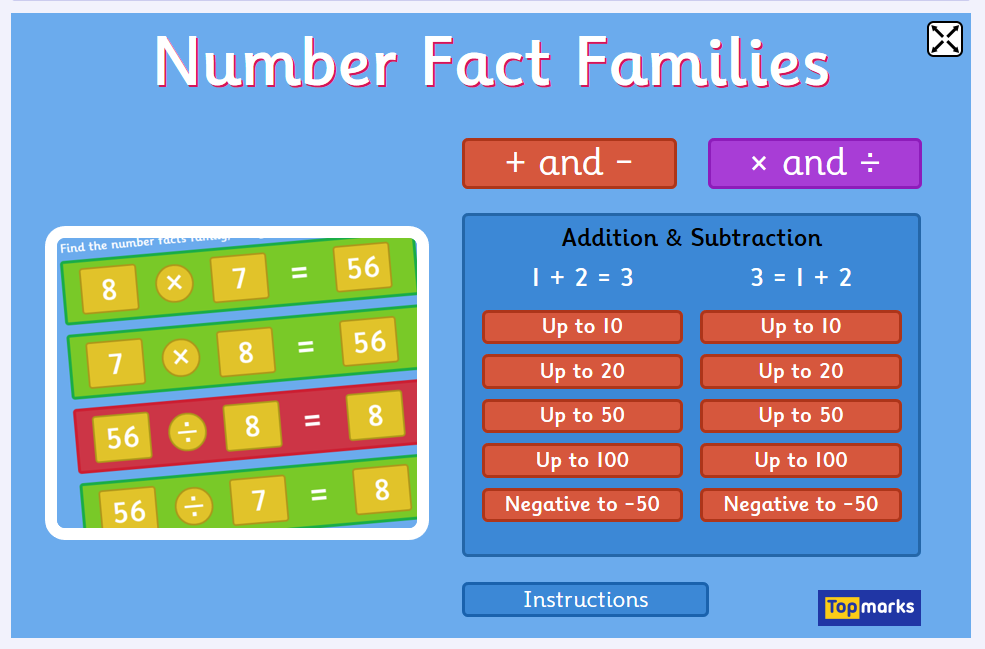
The game "Number Fact Families" on Top Marks is good for exploring this:


Choose + and - and then the range that your child is comfortable with. I recommend only choosing from the left hand column (1+2=3 not the reverse). Drag in the numbers and signs to make 4 calculations like in the triangle example above. Note there will be 2 addition and 2 subtraction calculations and where the largest number should go for this.


I wish you all well!
KS1 Team

Friday, 27 March 2020

Year 1 & 2 - Friday 27th March

Well, we made it to Friday!

Today, I just wanted to remind you about the tasks that you could have picked from during this week:

For further details on these tasks, look back at this weeks blogs.

However, in looking at the beautifully sunny day outside, I will be looking next week to increase non-screen time options for variety. With this in mind, let's look at today's possible task!

Garden Animal Hunt

The Government have said it is perfectly safe for people to enjoy their garden so long as it is private and social distancing rules can still be followed. If you are able to, then, have a look at the different animals you can spot outside. I've put 2 spotter sheets that you can use.


 I've put these images on the Down Hall website at the bottom of the Year 1 & 2 class page.


Phonics

This video is really cool for learning and practising the split digraphs (magic e).
However, I've included it because the song is fab!!!
Have a wonderful weekend - speak to you Monday.

Greatest respect
Key Stage 1


Thursday, 26 March 2020

Year 1 & 2 - Thursday 26th March

Good morning to you all!

In looking back at these blogs, and indeed whilst writing them, I am mindful that I am not "overloading" you and your children with too many tasks. My intention is to give you a range of possible activities your children can do that are not "one and done" but you can revisit many times when you choose to.

With that in mind, here are a couple of new tasks which you can do at any point over the next week or so. Indeed little and often is the best approach in all tasks you choose to undertake.

Story Mapping

One approach in re-telling stories we use often in school is story mapping. This is where we break a story down into key events which are represented by a picture following a path to sequence the story. It is probably easier to show you some examples!


This shows "The Three Little Pigs."


This one is for "Jack & The Beanstalk." Traditional tales are good candidates for story mapping, however, it works for most stories from "The Gruffalo" to "We're Going On A Bear Hunt."

I will put a new project on myon later this morning with texts you can story map, however you can choose any story you have to map.


If you want a version of "We're Going On A Bear Hunt" this is cool:


It will also get you all active too!

Google Slides

Before the school was closed, all the children were working on a slide show/PowerPoint presentation on their Google Drive account. The children can access their Google Drive by using their personal Google email account; they took login details home with them last week.

Please note - this is NOT Google Classroom. We do not use Classroom in KS1 currently. To find Google Drive, click the apps tab (9 little black squares) in the right hand corner on the Google homepage, click Drive and follow login instructions.


They will then be able to open their presentation that they have already started. Look to add slides on Castles and one on Knights. This website will help:


Don't panic if you can't get into Google Drive, you can do it on any application you have access to or even...paper!!!


Hope these ideas are helpful to you all. Please remember you are all doing a fantastic job and are all wonderful!

The KS1 Team

Wednesday, 25 March 2020

Year 1 & 2 - Wednesday 25th March

A sunny good morning to you all!

I hope you continue to be well and are finding these blogs useful. Use any suggestions here as you see fit - my own children have derived a lot of learning (and fun) through making a mess in the kitchen...I mean cooking brownies.

Hopefully the weblinks will work today - this website is fab:


This page will relate to our trip to Colchester Castle but you can search the website for anything that your child is interested in.

Maths

On Monday I mentioned the website:


This is good for generating calculations for the children to practice different methods to solve them. I thought today I would spend some time explaining these methods in a bit more detail.

Addition - Selection

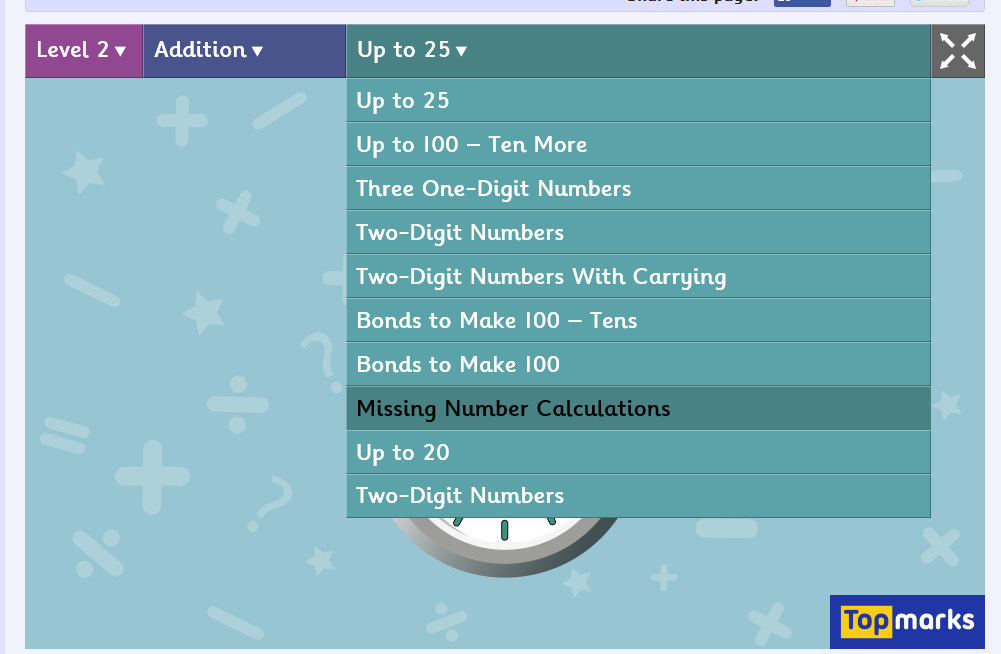
Firstly, once you have got to the above website, choose the correct calculations for your child.


For Year 1's, choose "Up to 25" and for Year 2's choose "Two-Digit Numbers." Obviously this is a generalisation and feel free to use whichever one works best for you child. Try "Two-Digit Numbers With Carrying" if they are super confident. When you have made your choice, use the "Manual" tab so it is not a timed race.

Addition - Methodology

For those using "Up to 25" focus on the use of a number line to solve these. You can visit this website to create your own number lines:


Alternatively, rulers and tape measures are themselves number lines. Find and start on the first number and then count on with careful jumps on the number line the second number.

For those using "Two-Digit Numbers" I mentioned using tens and ones to help solve these. This is an approach we have practised lots in class and looks like this:


Lines represent the tens and dots represent the ones. Then count up all the tens and then the ones to get to your answer.

Subtraction - Selection

For the Year 1's, change the Level tab to Level 1, select "Subtraction" in the second tab and "Up to 20:"


For the Year 2's, try "Two-Digit Numbers again:


Subtraction - Methodology

For those using "Up to 20" again use number lines, focusing on moving the jumps in the opposite direction - towards 0.

For those using "Two-Digit Numbers" the use of tens and ones looks like this:


We make the first number as before but we cross out the number of tens and ones of the second number. So above we are taking away 14, so cross out 1 ten and 4 ones.

English

Please continue using myon to look at books and complete the Project uploaded. Tomorrow we will talk about story mapping and I will put another project on myon.

Please take care of each other and I will talk to you tomorrow!
Mr Jude


Tuesday, 24 March 2020

Year 1 & 2 - Tuesday 24th March

Good morning everybody!

(Good morning Mr Joooood).

I hope you are all keeping well. I've got a couple of things for you to try today (or at some point this week) both online but with potential for extended use.

Please remember, however, that there is no right or wrong way to do something. We are all feeling our way through the dark here and you are not compelled to do anything I suggest in these blogs. In these remarkable times the health and mental well-being on yourself and your children is paramount. You know what approaches are best for your child so trust your instincts in this regard.

English

I have managed to put a "Project" on www.myon.co.uk. To access this, once you have logged in click on the Projects tab at the top:


You will see a list of assigned projects:


The current one is "Thinking About Stories - Fables."  Click on this and you will get an explanation of the task and the books that are assigned to the project:


Choose a book and read it. You can click on the journal tab at the side to write a response as directed in the project description.


It is worth noting that although the project is marked as finished after reading one book, you can click back into the project and read the other books. Don't forget that the website allows the book to be read to you if your child needs help.

Maths

The website Numbots has been made free to access for children with a Times Tables Rock Star account.

Go to the site:

https://play.numbots.com/#/intro


Log in by choosing school and the pupil and finally putting in the school's name and username and password. This is detailed on the slips of paper your child took home at the end of last week.

Once logged in, focus on the story mode aspect. The website tailors questions based on how your child responds so although you should support your child it is important that you don't just tell them the answer as the website won't give your child further practice on the concepts they need to practice.

This video introduces Numbots story mode for your child:

https://www.youtube.com/watch?v=I2L9N8Nbn3U


Again don't fret too much about doing these tasks "right." Just allow your child to have a go on their own terms.

Sadly I am unable to be available on the phone today as I promised - I am truly sorry for this. However, Miss Wakefield has stepped into my shoes so you will still have someone available if you need to ask a question, particularly around logging in issues.

I wish you all well,
Mr Jude


Monday, 23 March 2020

Phonics Play

Dear Parents, 

During phonics lessons we use an educational website called Phonics Play which all children are very familiar with. During school closures Phonics Play have made their whole site free to access. Phonics Play is extremely useful in supporting children’s phonics learning as well having lots of information for parents regarding phonics. They have also made a phone and tablet friendly version which will be great whilst children are learning from home. Please use the links below to access Phonics Play. 


Original site 

Tablet and phone version 

Username - march20

Password - home 

We hope you find this useful. 

The KS1 Team